
How it works: Reviewer
You read each English string from Voyant and vote for the translation that reads best.
Step 1 of 8
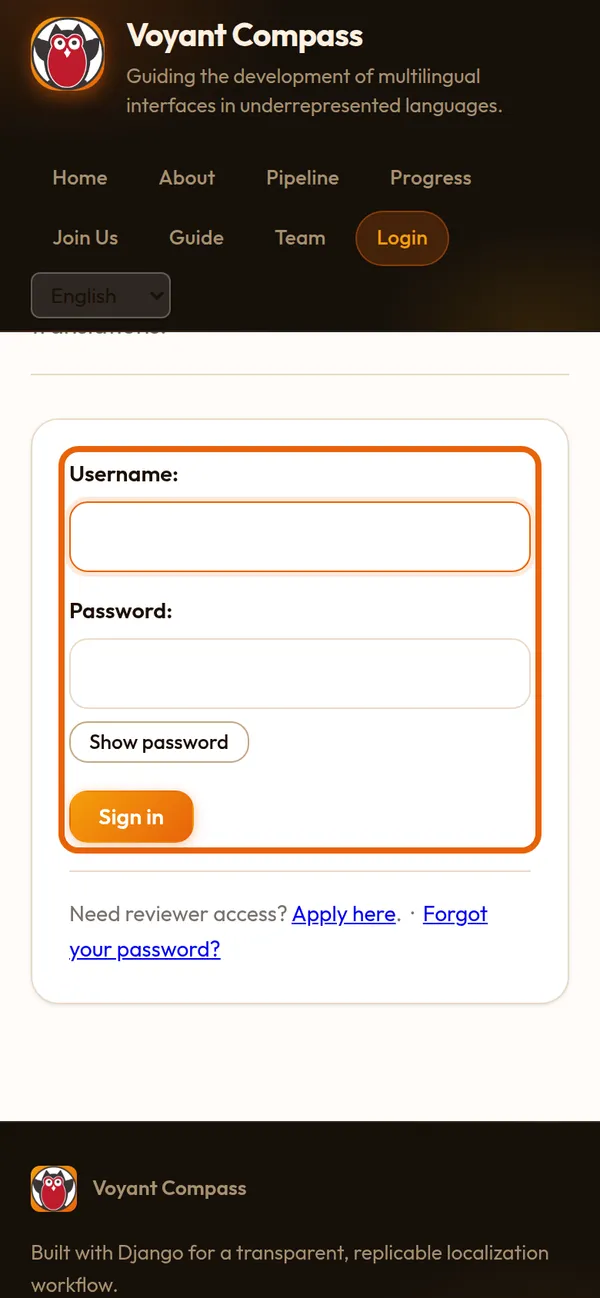
Sign in
Press Sign in and use the username from your welcome letter. Forgot your password? Use the link under the form.
Step 2 of 8
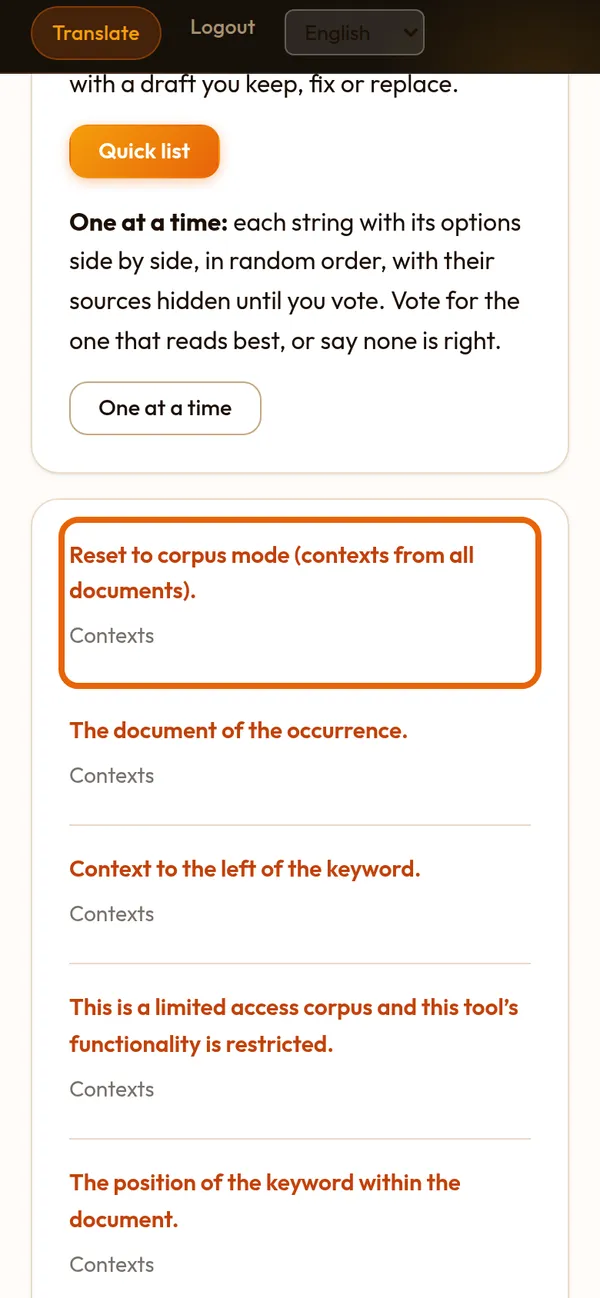
Your list of strings
Open Translate. Strings your lead gave you come first, then the words on Voyant's main screen. Tap a string to open it.
Step 3 of 8
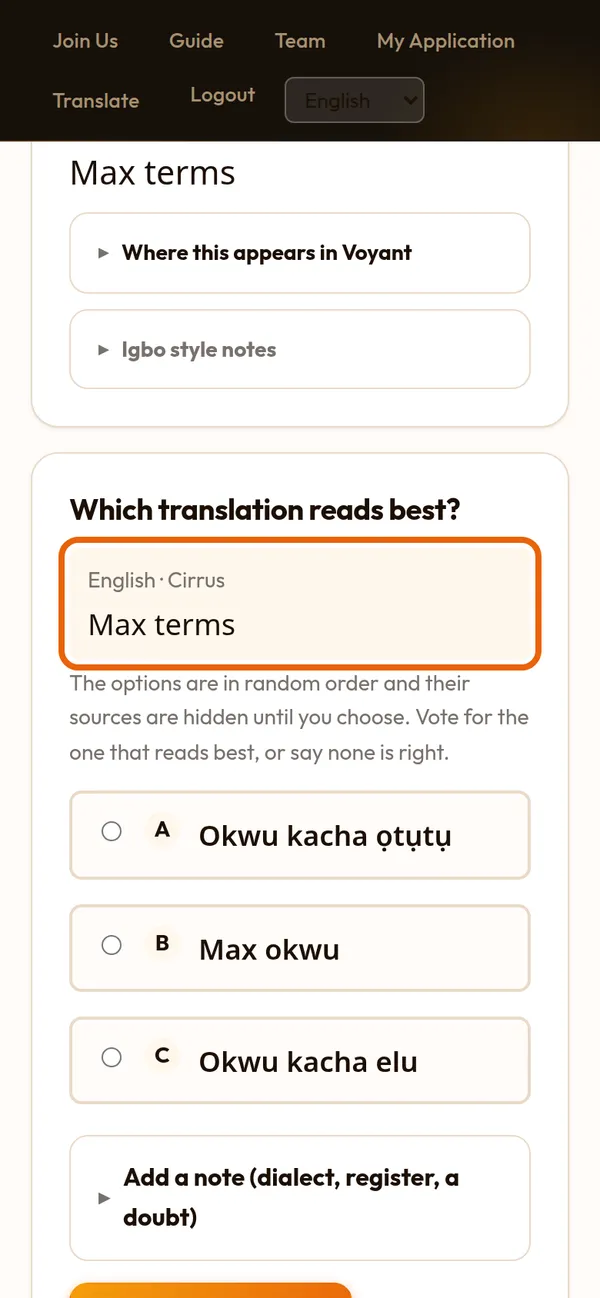
Read the English first
Each page is one piece of Voyant's English. It is shown at the top, and again right above the choices, with the part of Voyant it belongs to.
Step 4 of 8
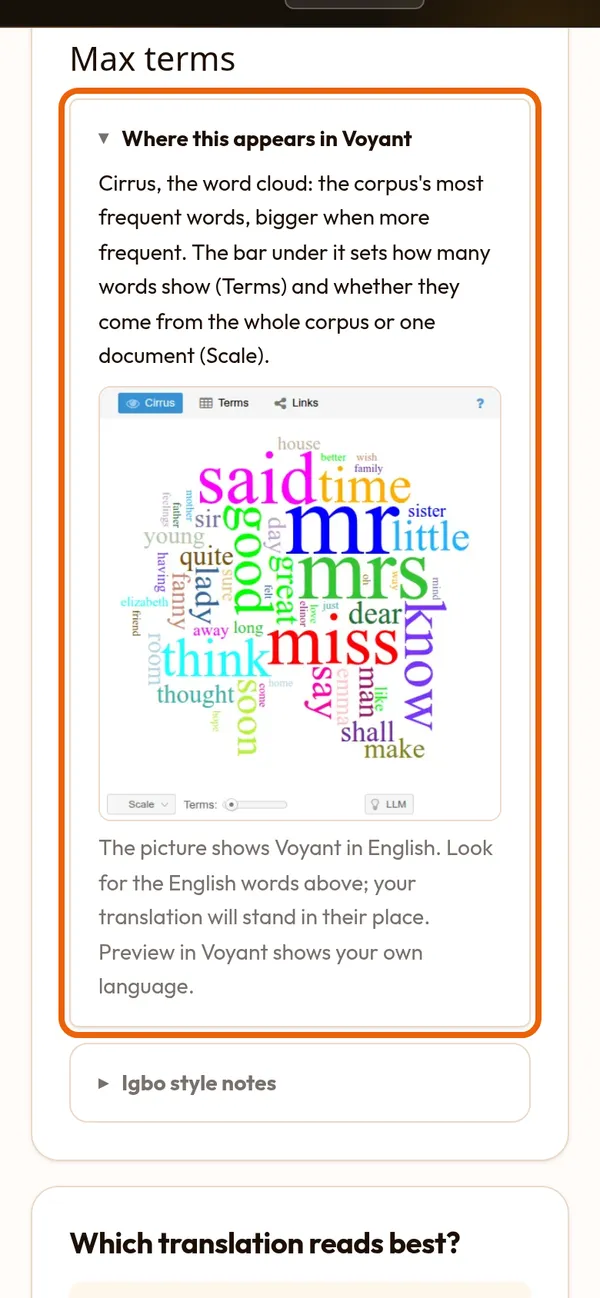
See where it appears
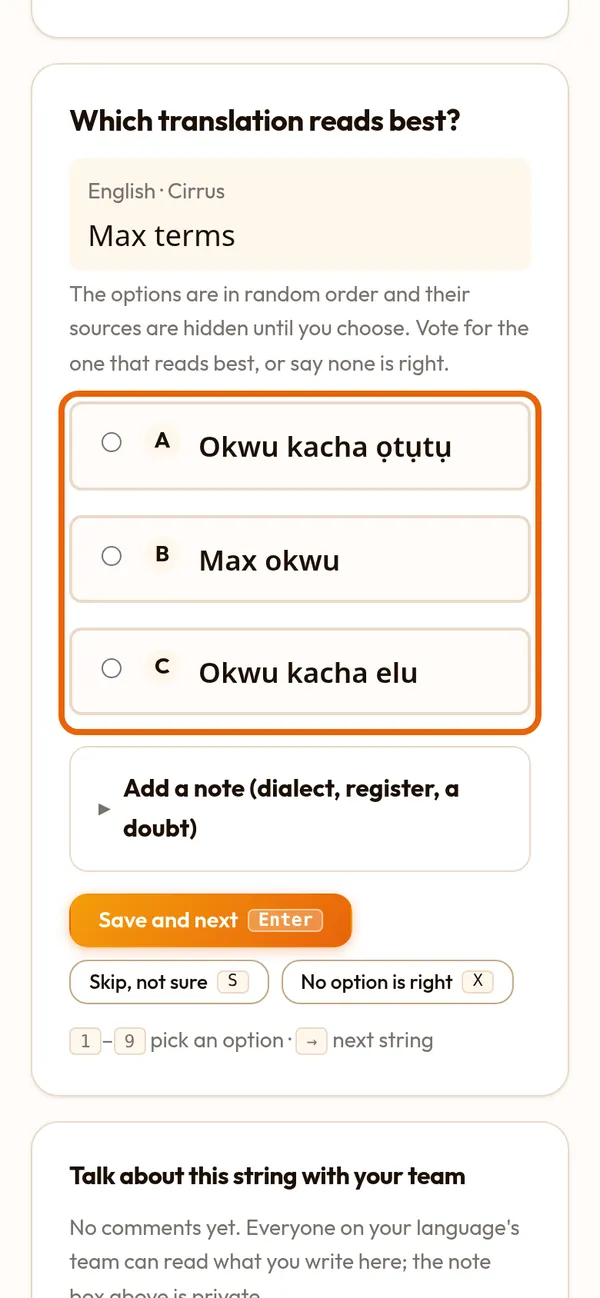
Tap "Where this appears in Voyant" to see that part of Voyant and what it does. Here, Max terms sets how many words the word cloud shows.
Step 5 of 8
Choose the one that reads best
The choices come from people and from translation programs. They are in random order and nobody's name shows, so you judge only the words. Tap the best one.
Step 6 of 8
Save, or say none is right
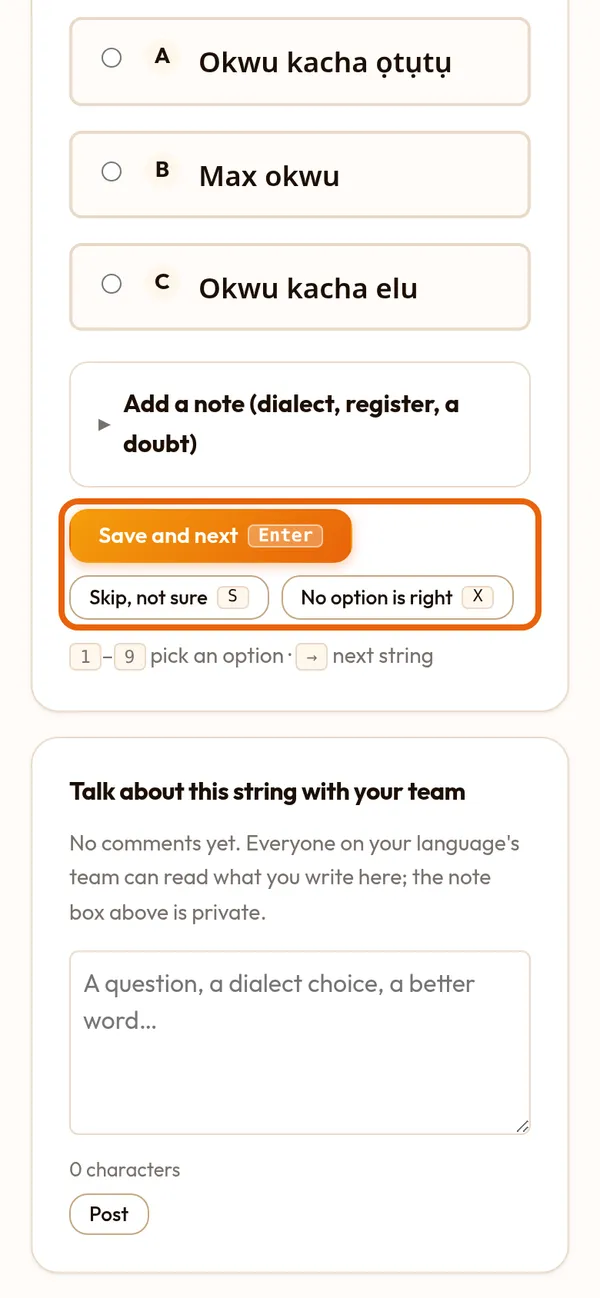
Press Save and next. If no choice is right, press No option is right; a translator or your lead will write a better one. The note goes to your lead only.
Step 7 of 8
Talk with your team
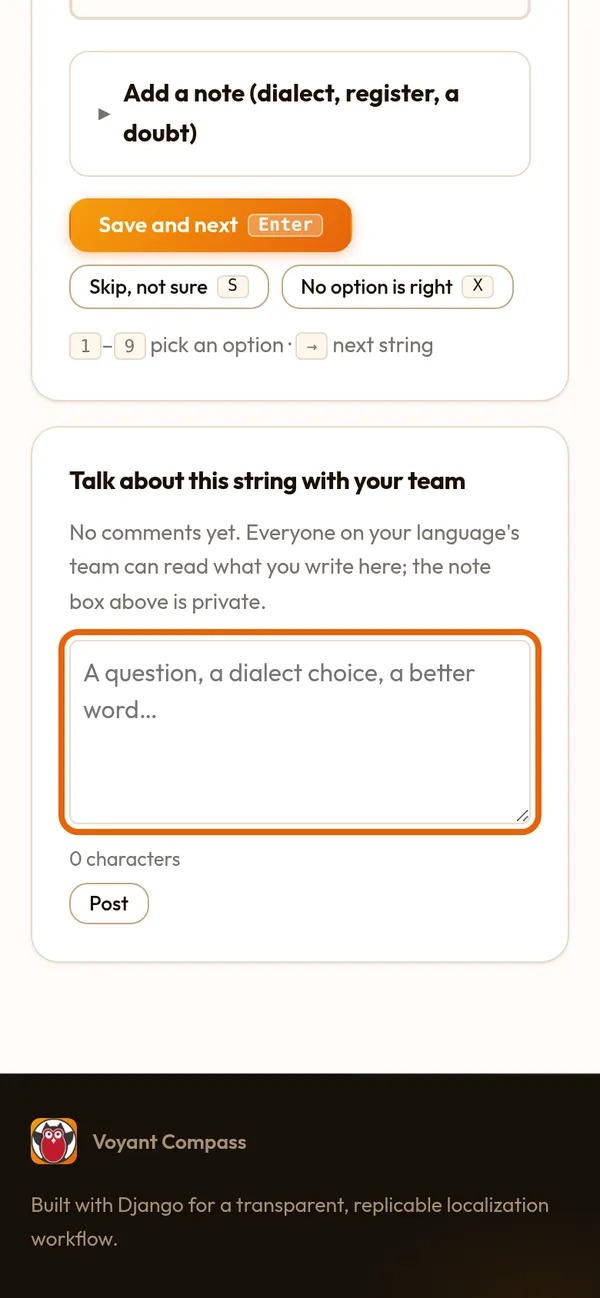
Unsure what a word means here? Ask under "Talk about this string with your team". Everyone on your language's team can read and answer it.
Step 8 of 8
Short strings go faster
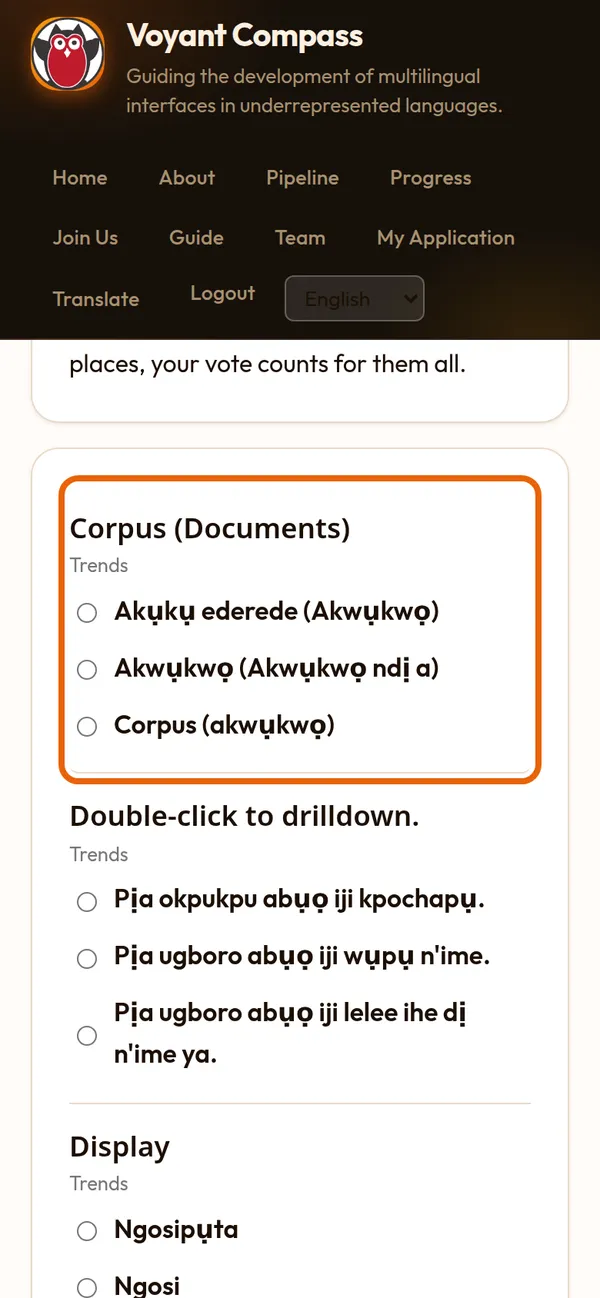
The Quick list puts many short strings on one page: vote on each row, then save the page.